
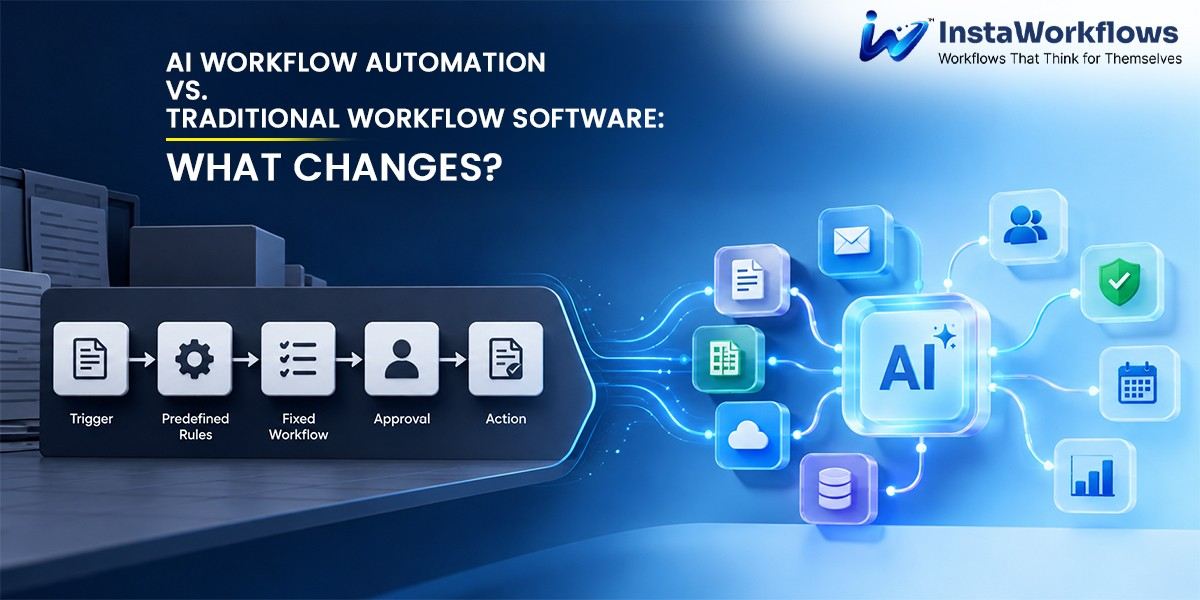
For years, businesses have been turning to workflow automation software to save time by cutting down on manual tasks, streamlining approvals, and ensuring consistency. But now, with the introduction of AI Workflow Automation, the expectations of teams have changed. Modern platforms can be flexible and adapt to changing conditions, rather than strictly adhering to pre-established rules. Modern platforms have the ability to adapt to changing conditions, learn from the outcomes, and interpret context as the work changes.
This blog delves into the differences between AI Workflow Automation and traditional workflow software, the actual impact on workflows, and how tools like InstaWorkflows can support organizations in making the transition successfully. Be it finance, HR, procurement or customer operations, knowing about this change will guide you to select tools that grow with your business.
Understanding Traditional Workflow Software
Traditional workflow tools were based on a very basic concept: draw the workflow, set rules, and have the system send the work. If a request satisfies a condition, then the request is passed to the next step. If it doesn’t, it waits or fails! This model added a welcome structure to organizations that were previously relying on e-mail chains and spreadsheets.
But, in contrast, the traditional workflow software has defined drawbacks. All scenarios should be thought of beforehand, and all exceptions should be handled manually or by reconfiguring. Often requires the help of a developer or a specialist administrator to make changes, delaying improvement. Additionally, many legacy workflow automation software systems have more difficulty with unstructured data like e-mail messages, scanned paperwork, and free-text requests, while teams must do this manually.
What AI Workflow Automation Brings to the Table
AI Workflow Automation adds intelligence to workflows. Machine learning and language understanding capabilities allow documents to be read, classified, data extracted, suggestions made, and even the next best action. Does not break down when faced with something new, but is able to take context and react to it.
An AI-native workflow platform takes it one step further by incorporating this intelligence as an integral part of the workflow instead of an optional component. As more businesses grow, learning abilities increase, and workflows do not improve; they get better as the design, execution, monitoring, and optimisation improve.
Key Differences: What Actually Changes
The difference between the two scenarios is more than just about the technology. Used by teams to rethink their processes in design, execution, and improvement.
One-size-fits-all rules and logic versus adaptive logic: Traditional workflow tools rely on hard-coded if-then logic that has to be manually changed whenever a process changes. AI workflow automation is flexible enough to handle variations, can deal with exceptions gracefully, and can make recommendations for improvements.
Structured data vs unstructured data: Traditional systems are best suited to structured data in the shape of forms. AI systems can process documents, messages, and data in various formats, bringing in much of the actual work of an organization.
Older tools – Reactive versus proactive operations: Teams can only respond after being alerted to a problem. Intelligent platforms continuously track activity, anticipate any possible slowdowns and warn owners before service levels are impacted.
Maintenance and scalability: Each new scenario of traditional workflow software is one additional configuration, making large deployments more challenging to maintain. Scaling becomes an evolution instead of a rebuild with AI-powered platforms as the complexity keeps increasing.
Approval Workflow Automation: From Static Routing to Intelligent Decisions
The first place that approval workflow automation is apparent is in contrast. Conventional setups: approvals are given in the order that’s already established, without regard to the risk and the context: request – manager – director – finance. This results in delays, particularly if the approver is not available or if a low-risk request is in the same queue as a high-risk request.
AI takes approval workflow automation to the next level by contextualizing it. The system can work out what is being requested, and then review the policy and history, detect any anomalies, highlight repetitive requests for quicker review, and identify any requests that require more thorough investigation. Summaries/recommendations aren’t raw requests, so decisions can be made in a timely fashion and there is control. That translates to reduced time and an audit trail in the finance, procurement, HR, and legal teams.
No-Code Workflow Automation: Putting Control in Business Hands
No-code workflow automation is one of the major things that have helped the business world in how it creates processes. For traditional environments, the process of developing/modifying a workflow process usually required a ticket to be raised with IT and then waiting for developer capacity. Artificial intelligence helps add to that benefit, as users can type a natural language description of a process, and the platform will write the workflow, make suggestions for how to make it better, and check the logic.
No-code workflow automation, combined with intelligence, lets business teams quickly test and test ideas safely and make quick adjustments when changes occur in business without the delay of long project cycles. IT teams will no longer be faced with the typical configuration requests but with governance, security and integration.
Why an AI-Native Workflow Platform Is Built for the Long Term
While adding AI capabilities to an existing product may offer a boost, an AI-native workflow platform is built from the ground up to be intelligent. Data flow, decision points, and user interactions are all intended to enable the system to learn from each task.
It offers a great number of practical advantages:
Improvements over time: Workflows become more accurate and efficient as they work through more tasks.
Real-time, cross-departmental performance visibility: Management has visibility and understanding of performance in real time, across departments.
Improved governance: policies, permissions, and audit logs are built into the platform, rather than bolted on.
Easy adoption: the ability of the non-technical user to interact with the system easily using natural language.
These are more important than any one characteristic on a comparison sheet for organizations that are planning for a longer-term digital transformation.
How InstaWorkflows Supports the Shift
InstaWorkflows is created for teams that require no-code workflow automation that is both fast and smart and is provided by an AI-native workflow platform. Intelligently designed processes automatically extract, route and support data and decisions, while the business user designs, launches and improves the processes without getting his/her fingers dirty with the technical details.
Choosing the Right Approach for Your Organization
Some processes do not require a lot of intelligence. Highly stable, simple procedures can operate with traditional workflow tools if they do not need to deal with many exceptions and the inputs to the processes are well defined and structured. However, when it comes to document-related processes, exceptions happen more frequently, numerous stakeholders are participating, and rules are constantly evolving, AI workflow automation typically delivers significantly more value. When assessing a practice, the following questions should be considered:
- How much of your work-related information is planned as compared to unplanned?
- How often do processes change and who/what is the changing?
- Are approvals routinely bogged down because of inflexible routing?
- Are business users able to create and customize workflows without technical assistance?
With workflow automation software, the reality will reveal whether or not your existing workflows are working for you or against you.
Conclusion
The transition from Traditional Workflow Software to AI Workflow Automation is not just about the new capabilities; it’s about a new way of thinking about work. There are still rules, but there’s also intelligence, adaptability and accessibility! These benefits span all of the functions that rely on automated processes that are dependent on a reliable system, all the way through to empowering no-code workflow automation.
If businesses are willing to take the next step, they can get a head start on faster decisions, reduced operational friction, and processes that continuously evolve with the help of an AI-native workflow platform like InstaWorkflows.
Frequently Asked Questions
1. What is the main difference between AI workflow automation and traditional workflow software?
Traditional software runs on a set of rules that need to be changed manually. AI workflow automation understands context, adapts to exceptions, and learns as it goes.
2. Where does AI workflow automation deliver the most value?
It is going to be most valuable for processes that have documents, exceptions, and many approvers. Usually, the first operations are in finance, HR, procurement, and customer service.
3. How does AI improve approval workflow automation?
AI evaluates all requests for policy compliance and history and then automatically forwards them to the appropriate approver for review, along with a concise summary.
4. Why is no-code workflow automation important for business teams?
It enables users without technical expertise to create and modify workflows without having to wait for IT assistance. This accelerates improvement and less reliance on development resources.
5. What makes an AI-native workflow platform different from older tools with AI add-ons?
Learning is inherent to an AI-native workflow platform, from the beginning. Typically, add-on features are shallow and only place themselves on top of a very structured design.
6. How can InstaWorkflows help organizations modernize their processes?
InstaWorkflows is a no-code, intelligent solution that automates routing, data, and approvals. Priority processes can be adapted as a starting point and developed as teams choose.