
All businesses, irrespective of their scale, will eventually find this out: Automation is simple; maintenance is difficult. People move on to new roles, apps are swapped out, an automation that was successful the last quarter fails, and nobody is the wiser. AI Workflow Automation Software was designed to resolve this friction, but there are still many workflow automation solutions that use a set of rules that are applied when a change happens. This is the reason why AI Workflow Automation Self-healing Workflows are in the limelight. These workflows identify the problem, adapt, and continue working in place of waiting for a human to find and fix a broken process. In this guide, we will delve into the idea of workflow self-healing, how it works, and why it is important to your team when it comes to structure changes. Protective programs such as InstaWorkflows are centered around precisely this concept.
What Is Workflow Self-Healing in AI Workflow Automation Software?
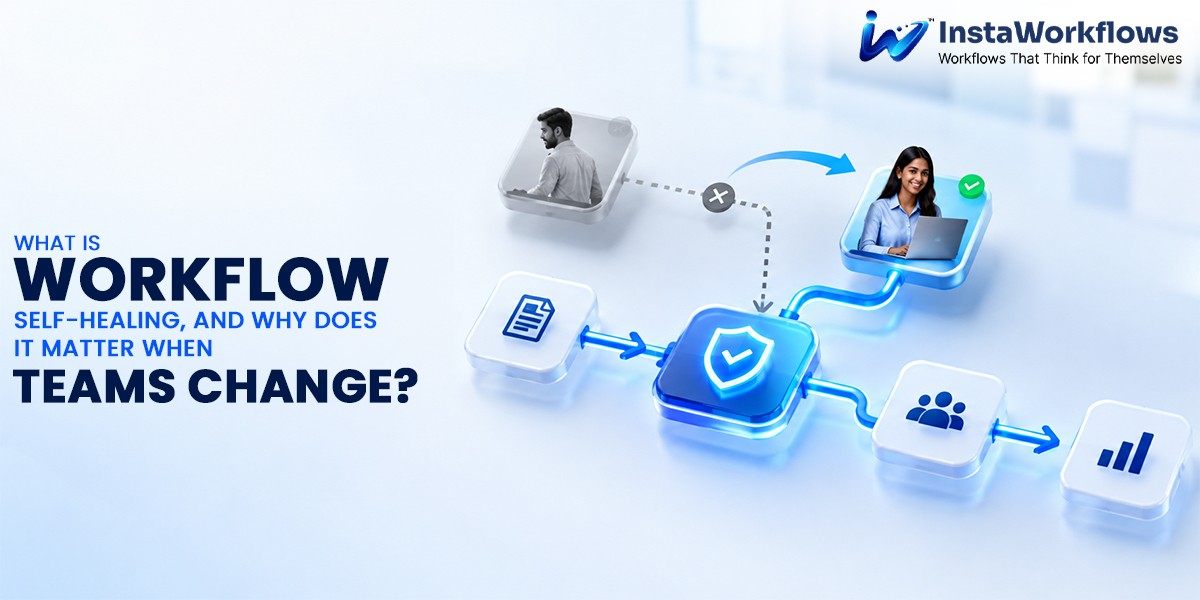
Workflow self-healing refers to the ability of an automated workflow to detect the failure, understand the cause of the failure,e and fix it (with minimal or no human effort). In a state-of-the-art workflow automation software platform, it means that the platform is monitoring all the steps, comparing the “what is” to the “what should be,” and then acting when they are not aligned.
Think of an application to steer. When the road is shut, it doesn’t stand around and wait; it guides you around. Self-healing is similar. When the approver is no longer at the company, a field name has changed in your CRM, or an API call has returned a different answer, the self-healing engine finds an alternative route and continues to operate intelligently, or it escalates if an alternative route is not available.
It’s based on self-healing automated tests, which automatically correct broken elements, so that the test will not fail during test runs. For business processes, the same applies – AI Workflow Automation Software can learn outside of the rules; it learns by pattern, context, and resolution.
Why Traditional Workflow Maintenance Breaks Down When Teams Change
Many teams think they can maintain their workflow for free. Most teams underestimate the true cost of workflow maintenance. A workflow is not a one-off project; it’s a living system that is connected to people, permissions, and tools. If any of those change, the workflow could be broken. Common triggers include:
- A manager decides to leave, and approvals are directed to a dormant account.
- Department restructuring and current routing is not in line with original routing.
- A new tool replaces the old one, thus breaking the data mappings and integrations.
- Permission change – prevents a step from being run automatically.
- New employees are added to the process with alternatives to the naming methods utilized in the process.
With a rule-based system, each of these errors would have to be discovered and fixed by somebody opening the builder, following the trail of the error, and then fixing the problem. Typically, this is an operations or IT admin who takes a back seat to fixing. In the meantime, there are invoices waiting to be approved, onboarding processes stall, and customers wait. Another consequence of manual workflow maintenance is the unofficial assumption that there’s only one person who understands how everything is connected. When this person passes, the issue gets compounded.
How Self-Healing Workflows Work Behind the Scenes
Self-healing is not a magic bullet; it is a cycle of detection, diagnosis, and recovery. Typically, these layers are present in strong self-healing workflows:
- Continuous monitoring: All actions are monitored for any failures, delays, and unusual outputs.
- Root-cause analysis: Users will be identified, fields will be checked, times will be calculated, and bad data will be caught by the system.
- Automated recovery: It will switch to another approver, remap a field, retry with different parameters,s or go to an alternate path.
- Human escalation: If there is not much confidence, it notifies the proper person with the proper context, but it doesn’t fall silent.
- Learning: Incidents that are resolved are shared to future decisions so the same incident is dealt with quicker the next time.
AI Workflow Automation: self-healing workflows are different from simply repeating a failed step and hoping for a different result.
Approval Workflow Automation: Where Team Changes Hurt the Most
Approval workflow automation is the most vulnerable business process to team changes since the approvals rely on names and roles. It takes someone saying “yes” at the right time and place for a purchase request, leave request, contract review, and expense claim to be processed.
If it’s not self-healing, one person who is out of date can lock a chain. It will be used to mark the fact that the approver is no longer available or no longer in the role and will check the current organization setup and forward the request to the right delegate/manager. It can also identify requests that have been sitting idle for too long and automatically remind approvers.
A sensitive approval workflow automation ensures that audit trails are maintained during those changes, too, which is relevant for compliance. Even if the routing changed midway through the process, it is possible to show who has approved what.
Key Benefits of Workflow Automation Software With Self-Healing
As the workflow automation software can fix itself, the advantages are evident soon:
- Less downtime: Damaged steps get repaired in minutes, not days.
- Reduced maintenance efforts: Teams save time on repetitive workflow maintenance and have more time to improve the workflow.
- Resilience in the face of reorganizations: Including mergers, promotions, and new hires, without breaking the route.
- Accurate data mapping: Automated remapping eliminates missing or mismatched data.
- Faster scaling: Add processes without increasing support load.
A good question to ask when considering workflow automation software is whether it simply creates automations, or sustains them over time.
How InstaWorkflows Supports Self-Healing Automation
InstaWorkflows is made for teams who desire automation for real-world modification. The platform is not a one-time build; it’s intelligent workflow design coupled with constant monitoring and adaptation as people, roles, and tools change. It is AI Workflow Automation Software and assists teams in automating common tasks like approvals, requests, and handoffs without having to rebuild the workflow over and over again.
This translates to more time for operations leaders to focus on process improvement rather than extinguishing fires. For IT, it’s fewer tickets for broken automations. This translates to a time- and hassle-efficient process for staff requests. For more information, visit instaworkflows.
Best Practices for Making Workflows Resilient to Team Changes
Whilst intelligent automation works, good design can help. Here are some habits to keep in mind:
- Route by role, not by name-that is, don’t let the staff change and break the chain.
- Identify who is responsible for backing up each critical step and who is responsible for escalating each critical step.
- Periodically check logs to identify common problems, as part of continuous workflow maintenance.
- Ownership of the document-ensure that each workflow has a clear business owner.
- Select a platform that natively offers self-healing workflows rather than those that are add-ons.
Even with intelligent automation, good design helps. Keep these habits in mind.
Conclusion
The tools used by the teams will always be different, as will the teams themselves. But the question is, can your automation keep up? Workflow self-healing converts weak, rule-based processes into robust systems that can identify issues, self-heal, and only escalate when humans are required. That’s the difference between smooth sailing and constant firefighting in any type of process that relies on people, particularly for approval workflow automation. When you’re evaluating workflow automation software, check out self-healing features first and learn how InstaWorkflows can benefit your business at instaworkflows.
FAQs
1. What is workflow self-healing?
It is the capability of an automated workflow to identify failure, its root cause, and correct it without human intervention. This way, processes continue even if personnel, information, or tools change.
2. Why is workflow self-healing important in the event of team changes?
The rotation of team members disrupts approver routing, permissions, and integrations. Self-healing automatically adapts to prevent delays and urgent fixes.
3. What is the benefit of embedding workflows into each process in the system?
They inspect steps, correct common errors, and self-redirect steps. Your team is responsible only for the exceptions, not all failures.
4. Which of the following areas is most likely to be enhanced by self-healing in workflow automation?
When you’re dealing with approvals such as purchases, expenses, and leave, the person who needs to approve the request is outdated.
5. What types of AI workflow automation software are available?
Basic tools operate according to a set of rules and do not work if the rules are violated. Contextual and historical solutions are taught to AI software to adjust accordingly.