
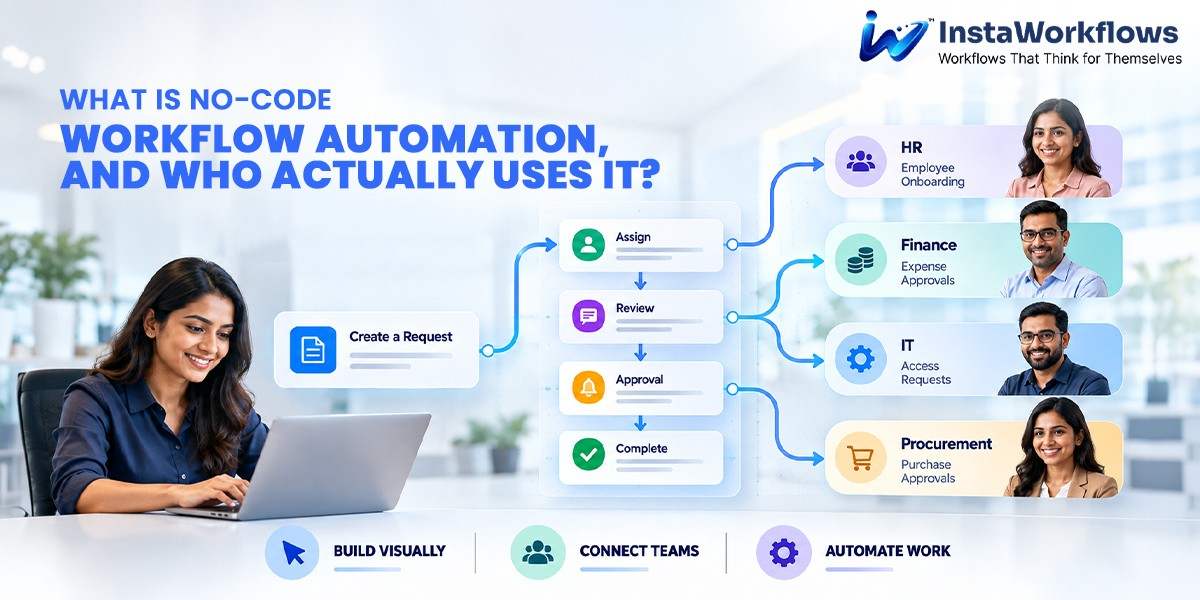
All businesses operate through repetitive processes that require requests to be made, examined, approved and tracked. For many years, the only way to automate these processes was to wait for a developer or to use inflexible tools that never quite do the job. No-Code Workflow Automation enables business users to create, implement and optimize automated workflows, all through drag-and-drop visual interfaces.
The appeal is tangible. Finance can accelerate their purchase order submissions. HR can more easily onboard new employees. Operations can get in the queue. That’s what today’s workflow automation software will do for you. And tools like InstaWorkflows empower business users (and replace developers) to create and manage this capability. This blog explains how no-code automation works, where approval workflow automation fits in, how enterprise workflow automation expands it across organizations, and who’s doing it today.
Understanding No-Code Workflow Automation
No-Code Workflow Automation is a method for creating automated business processes without any coding. A process can trigger anything the user defines and act on someone, includes conditions, and applies what to do in each phase. It then performs these steps each time.
In the past, business requirements had to be translated into code by the IT team before being automated. This caused delays, backlogs and miscommunication between identifying a problem and resolving it. No-Code Workflow Automation allows the person who knows the process best to create it themselves. Changes don’t wait for a development cycle, they are done in minutes.
This does not mean that there is no technical oversight. Permissions, audit trails and security controls are also present on mature platforms, enabling IT to exercise governance and business teams to get a sense of speed and independence.
How Does Workflow Automation Software Work Without Code?
Most workflow automation software is essentially the same regardless of the industry it is used in:
- Trigger: something triggers the process, such as a form submission, new record, or a scheduled date.
- Conditions and rules: The system processes and determines the route of the request.
- Actions and assignments: Tasks are sent to the appropriate individuals, notifications are sent, and data is automatically updated.
- Tracking and Reporting: All steps are documented, providing managers with visibility on progress, delays and results.
In a no-code environment, all these settings are configured graphically. Creating a form, adding logic to the form so high-dollar requests can be forwarded to a higher level of review, and setting up reminders for work in progress does not require technical expertise from the manager. Furthermore, the optimal workflow automation software should seamlessly connect with other applications such as email, spreadsheets, and business software, without forcing teams to adopt a whole new platform.
Approval Workflow Automation: Where Most Teams Begin
There is no better place to start automation than approvals. They feature in everything from leave requests to expense claims, purchase orders to contract reviews, vendor onboarding to policy exceptions and more – even in the most unlikely contexts. If there is an approval process that is done via email chains or through informal emails, then it’s often slow to get, easy to lose and difficult to track.
The approval workflow automation eliminates all that chaos and provides a structured path to follow. A standard form is used to request, it is automatically sent to the appropriate person for approval and is escalated if it remains unapproved. All decisions are timestamped and signed with the approver’s name and can be made from any device.
Immediate benefits:
- Requests don’t get stuck because no one has replied.
- Staff are able to view the status of their request.
- Compliance teams have a good audit trail.
- Managers are able to spend less time getting updates and more time making decisions.
When it comes to getting quick results that you can see, approval workflow automation is often the proof of concept that gets the ball rolling for broader automation programs.
Who Actually Uses No-Code Workflow Automation?
One of the misconceptions is that automation tools are used only by technology companies. In fact, No-Code Workflow Automation is applied in various roles and areas of the business.
It helps operations managers with daily process standardization, minimizes rework, and provides visibility of any choke points. HR teams streamline onboarding procedures, leave requests, performance reviews and paperwork, providing a uniform experience for the employees. Where accuracy and traceability are critical, it is the role of finance and procurement teams to approve invoices, make budget requests, manage vendors, and authorize purchases. Automated workflows route leads, handle service requests and follow up on commitments for sales and customer service teams.
Workflows are essential for compliance and legal teams to help them adhere to policies and maintain records for audits. No-code tools are used by small and mid-sized businesses, as they don’t have large development teams but still need efficient and repeatable processes. Perhaps the clearest example of beneficiaries are citizen developers – workers who develop their own solutions without formal programming training. They experience issues and can now solve them without having to wait in line.
Every industry that has to deal with multiple players that must approve, document and handoff, for example, healthcare, education, manufacturing, logistics, banking, or government, employs these tools.
Enterprise Workflow Automation: Scaling Across the Organization
The challenge is different if your organization is large: consistency across departments, locations and systems. It is here that enterprise workflow automation is strategically crucial.
Enterprise workflow automation is more about automating workflows. It supports the integration of processes from finance, HR, operations, procurement, and compliance into a unified framework, adhering to common standards, while granting departmental flexibility. This level requires having:
- Access and security: Only authorized users should have access to sensitive information.
- Scalability: The platform should be able to scale up to accommodate the increasing number of requests and users without compromising its performance.
- Integration: Workflows need to be integrated with other enterprise systems.
- Governance and auditability: Leaders should have detailed logs and reports to meet regulatory requirements.
- Central management: Administrators should have the ability to track, update, and enhance workflows within a single administration perspective.
In addition, enterprise workflow automation that is built on a no-code basis will also cut down on the strain on stretched IT departments. Business units are able to continue to tweak their processes; IT is able to concentrate on architecture, security and strategic initiatives.
InstaWorkflows: Choosing the Right Platform
Not all platforms are appropriate for all organizations. As they consider their options, they should consider the following features: easy-to-use visual builder, flexible form design, approval logic flexibility, robust reporting capabilities, and reliable security risk controls. It also aids in selecting a provider who can also be acquainted with small team agility and enterprise-level requirements.
This balance is in mind for the design of InstaWorkflows. It allows teams to create and even manage workflows visually, automate approvals and have full visibility throughout the processes without needing to develop anything. If your organization is new to No-Code Workflow Automation, a process with high friction like approvals makes for a good introduction to value. You can check it out for yourself at Instaworkflows to see if it suits your requirements.
Conclusion
No-Code Workflow Automation is no longer a convenience feature in a business but an integral part of it. It allows those who do the work to create better processes, it helps technical teams take less time and strain to create processes, and it adds structure to the daily tasks of keeping an organization running. From approving workflow automation within one department to enterprise workflow automation, the right workflow automation software transforms the chaos of manual workflows into efficient and transparent systems to ensure performance.
The users are not just the developers or technology experts. They’re HR professionals, financial managers, managers of operations and everyday workers who want things to get done faster and more clearly at work. The transition is made easy with a platform such as InstaWorkflows that allows companies of any size to modernize work processes.
FAQs
1. What is No-Code Workflow Automation?
Designed and automated business processes without coding using visual tools like drag-and-drop builders and preprogrammed rules.
2. Where can approval workflow automation be applied?
It can be used for any requests which require review or authorisation, such as expense claims, leave applications, purchase orders, contract reviews, vendor onboarding and exceptions to policies in almost all departments.
3. How does workflow automation software improve business efficiency?
It eliminates manual handoffs, automatically assigns work to the right person, notifies participants and keeps a history of actions.
4. Why is enterprise workflow automation important for large organizations?
Those processes can be made consistent, secure and auditable with enterprise workflow automation, granting departments the flexibility to adapt to them.
5. Who should use a platform like InstaWorkflows?
This can be valuable benefits to operations leaders, HR staff, finance and procurement teams, compliance experts, and small business owners, especially those who don’t necessarily want to over-rely on development.